Projectile 3.2
Projectile 3.2 is out!1 That’s the third Projectile release this month, and by now you probably see the pattern - a whole lot of nothing for a couple of years, then everything at once. Where 3.0 was the big cleanup and 3.1 the pile of long-standing feature requests, 3.2 is a focused release with one clear theme: search and replace. Plus one bonus feature I’ve wanted for ages, but more on that below.
Replace, but with a preview
projectile-replace has always been one of those commands that technically
worked, but that I never quite trusted. It walks the project file by file with
query-replace, asking you about every match with no way to see the big
picture, and once you start there’s no graceful way out. I’ve been promising
myself a better story there for years (that’s #1924, if you’re keeping
score at home).
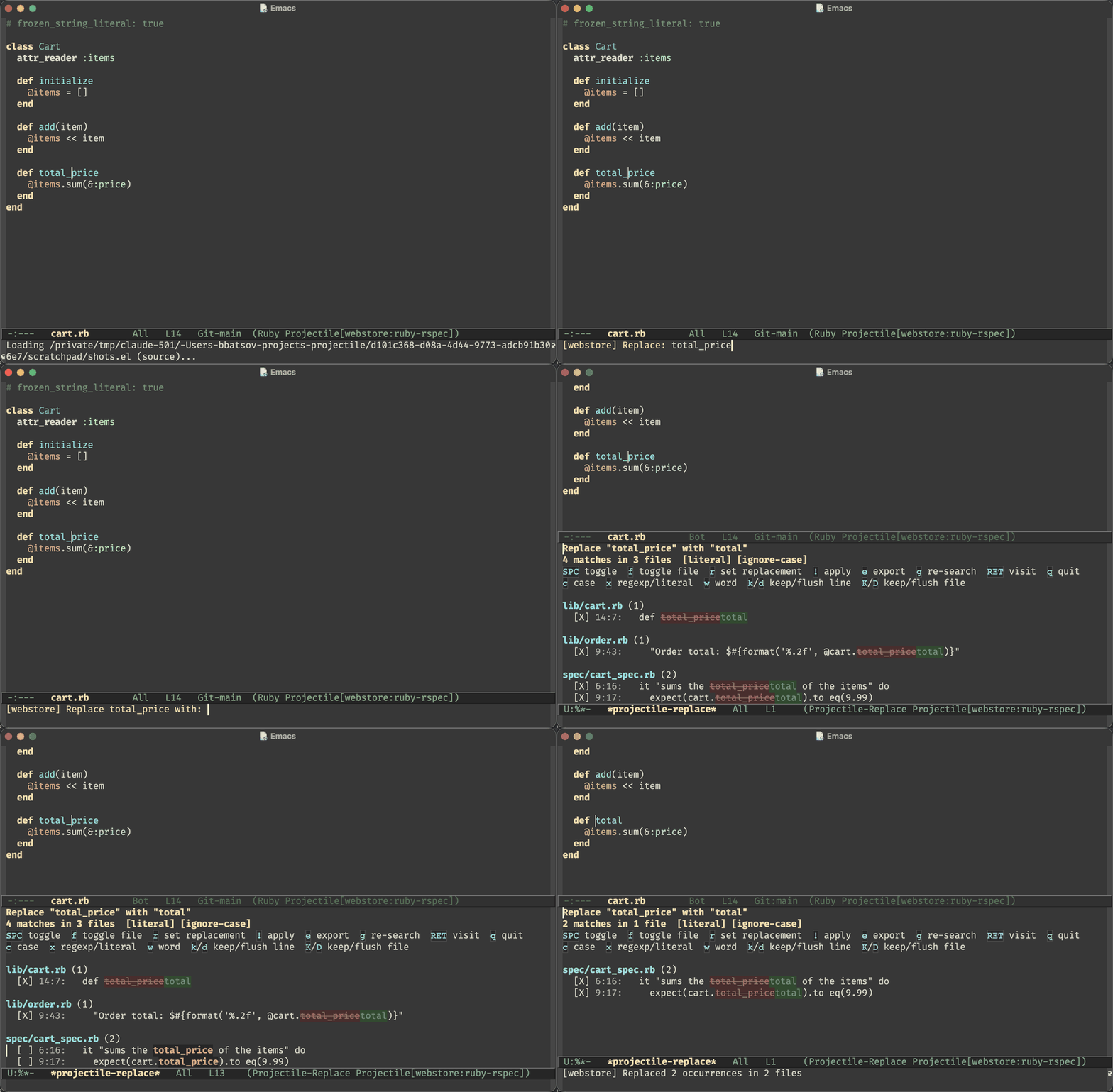
3.2 finally delivers it. projectile-replace-review (s-p R) prompts for a
search string and a replacement, gathers every match across the project into a
*projectile-replace* buffer, and shows you a per-match preview of exactly
what’s about to change. Every match can be toggled on or off, and ! applies
just the enabled ones - in any order, whenever you’re ready. Here’s the whole
flow, start to finish:
The matches are gathered in Emacs Lisp rather than by shelling out to grep, so
projectile-replace-regexp-review honours full Emacs regexp syntax (yes,
including \_<foo\_> and capture groups in the replacement), and the preview
reflects the exact text that will be edited - including unsaved changes in
buffers you already have open. The apply step is equally paranoid: files are
edited bottom-up so earlier edits can’t shift later matches, open buffers get a
single undo step, and buffers modified since the scan are skipped rather than
clobbered.
The results buffer is a little workbench of its own - you can toggle case
sensitivity (c), flip between literal and regexp matching (x), keep or
flush matches by line or by file (k/d/K/D), and export everything to a
grep-mode buffer (e) if you’d rather finish the job with wgrep. And both
reviewers scan the project asynchronously, so a big search no longer freezes
Emacs - matches stream in as they’re found and you can bail out at any point.
Search gets the same treatment
Once the replace reviewer existed, the obvious next question was “can I have
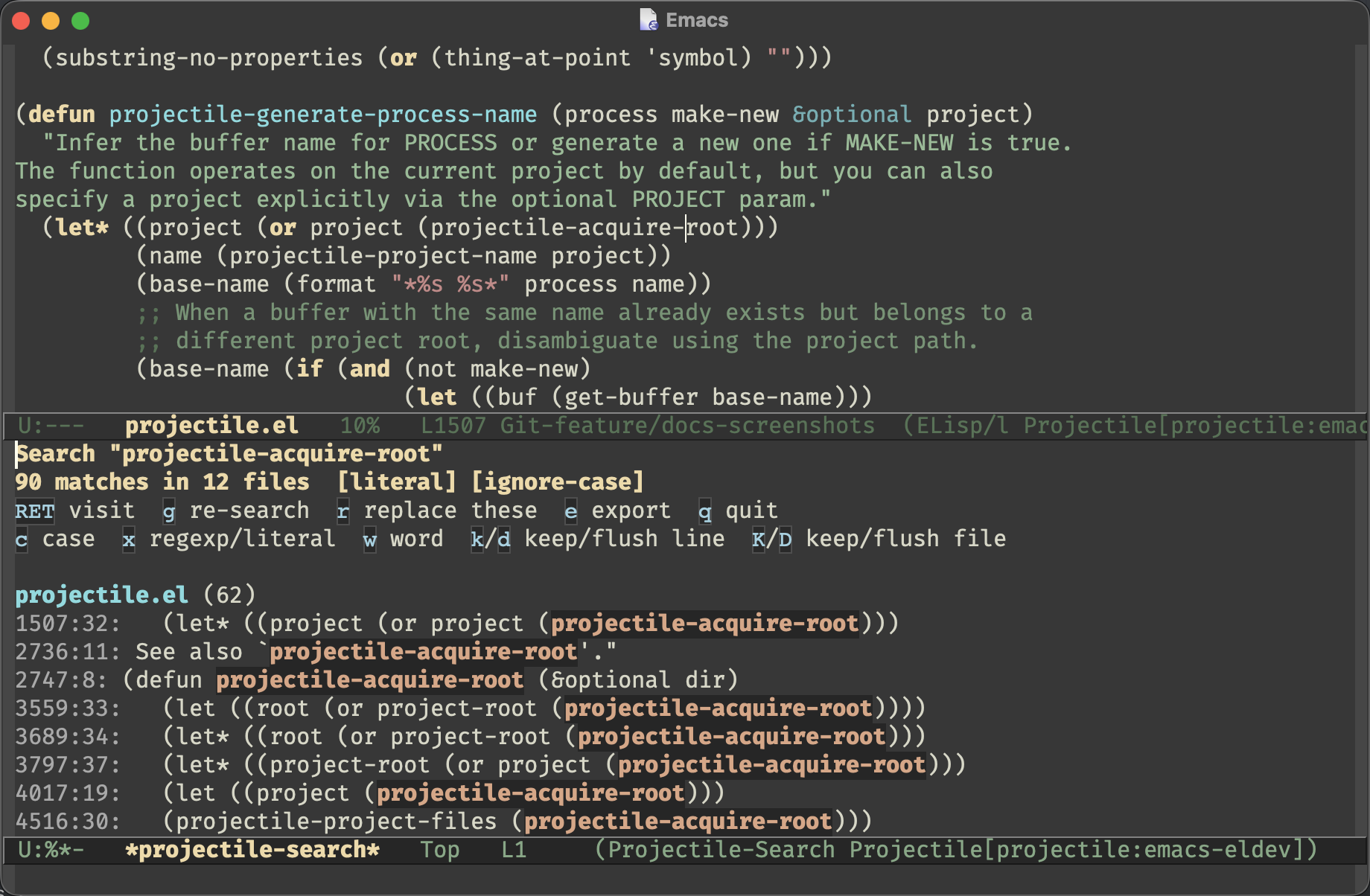
this without the replacing part?”. You can. projectile-search-review
(s-p s R) collects every match for a term into a read-only
*projectile-search* buffer, grouped by file, with the matched spans
highlighted:
It shares the replace reviewer’s navigation and filtering, and pressing r
hands the current search over to the replace reviewer, carrying along the term
and settings and prompting only for the replacement. So “look first, replace
later” is now a single keystroke, not a re-do.
My favourite touch: when rg is installed, a literal search rides ripgrep and
streams matches in near-instantly even on huge projects (customizable via
projectile-search-use-ripgrep). The regexp variant and the replace reviewer
always use the portable Emacs Lisp scan, so the preview you act on is always
the real thing.
A tab per project
The bonus feature: projectile-session-mode, a global minor mode that gives
each project its own tab-bar tab. Switch to a project and Projectile either
selects its existing tab (with the window layout you left there) or opens a
fresh one named after the project. Sessions can also persist across restarts -
s-p w s saves a project’s layout and buffers, switching to the project can
restore it automatically, and projectile-session-restore-all brings your
whole working set back after a restart, each project in its own tab.
I’ve long envied the “workspace per project” workflows people build with
tab-bar and a handful of hooks, and now Projectile just does it out of the
box. It’s opt-in, so nothing changes unless you enable the mode.
Odds and ends
A few smaller things that shipped alongside the headliners:
- The reviewable search/replace learned whole-word matching - toggle it with
win the results buffer, or default it withprojectile-search-whole-word. projectile-dispatchpicked up matching switches ---wordand--case-sensitiveseed the reviewable search/replace, the same way--regexpalready did for the other search commands.- All the search prompts now share one consistent format that shows the tool that will actually run and the symbol-at-point default up front. No more guessing whether you’re about to invoke grep or ripgrep.
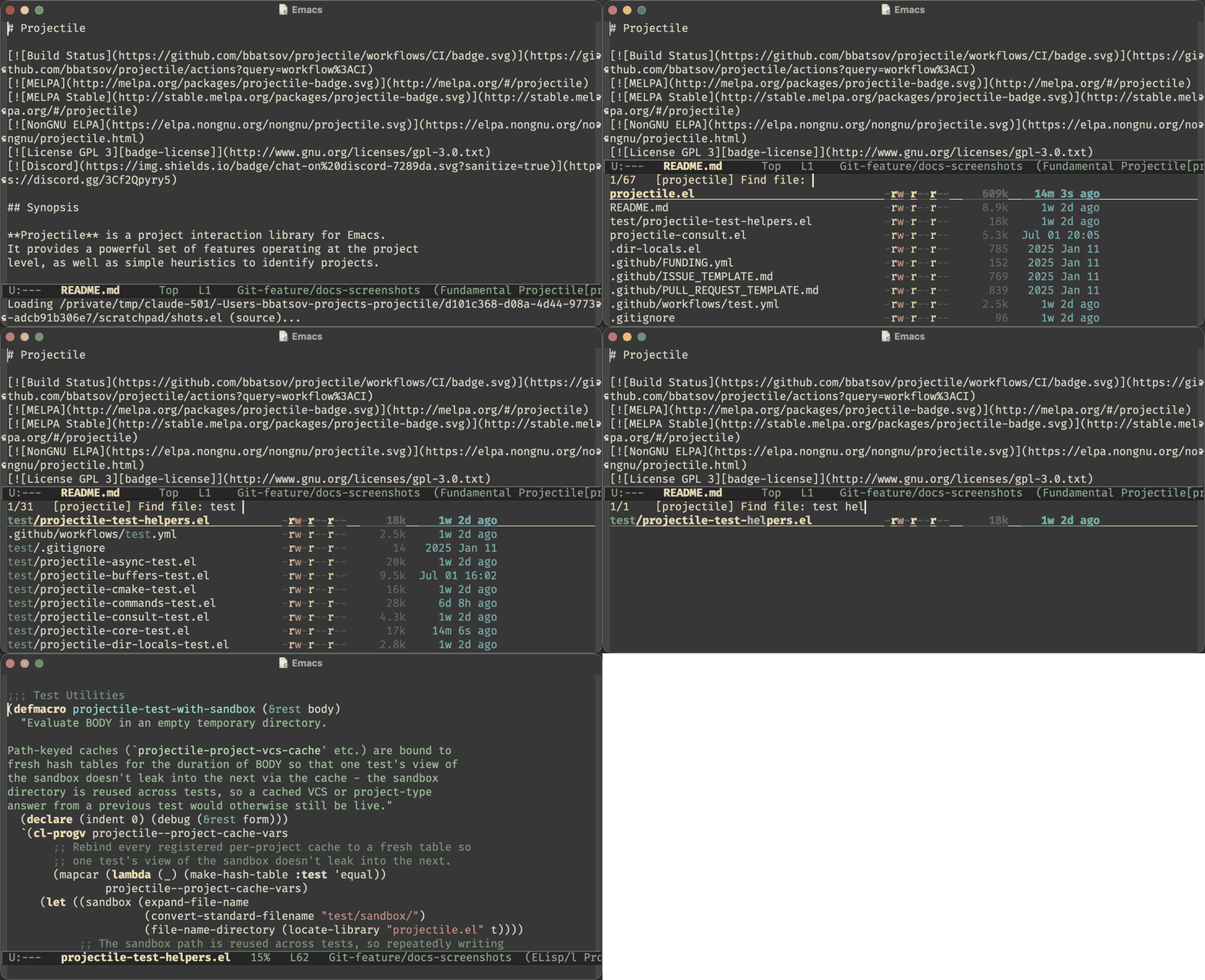
- Projectile’s prompts now advertise the right completion metadata category per
command, so
marginaliaannotates candidates properly (buffers get buffer annotations, projects get file ones) andembarkcan act on them. Withverticoandmarginaliathe built-in commands look downright fancy now:
- Function-valued lifecycle commands (say, a CMake preset picker) are re-invoked on every run instead of having their first result frozen in the command cache - an old gotcha that bit CMake users in particular.
Wrapping up
No breaking changes this time, and nothing to migrate - the full list of changes is in the changelog, as always.
More importantly, 3.2 completes - for now - the arc I embarked on with 3.0. Looking back at the whole 3.x series, the mission boils down to three things:
- make Projectile’s internals faster, simpler and more robust
- modernize the UX (async everything, the dispatch menu, and now reviewable search and replace) and give people more reasons to prefer Projectile
- replace hardcoded behavior with mechanisms - backend registries, file kinds, named tasks, session serializers - that you can bend to your own workflow in a few lines of config
All three boxes feel properly ticked at this point, so the summer release burst is probably winding down.2 Projectile is in the best shape it’s been in years, and I’m having more fun working on it than I’ve had in a long time. Huge thanks to everyone who reported issues and tested the new reviewers while they were taking shape!
Keep hacking!